 ADAM PULSE
 NSA Issues Urgent PHP Security Advisory: 10 Actions Every Organization Should Take Now
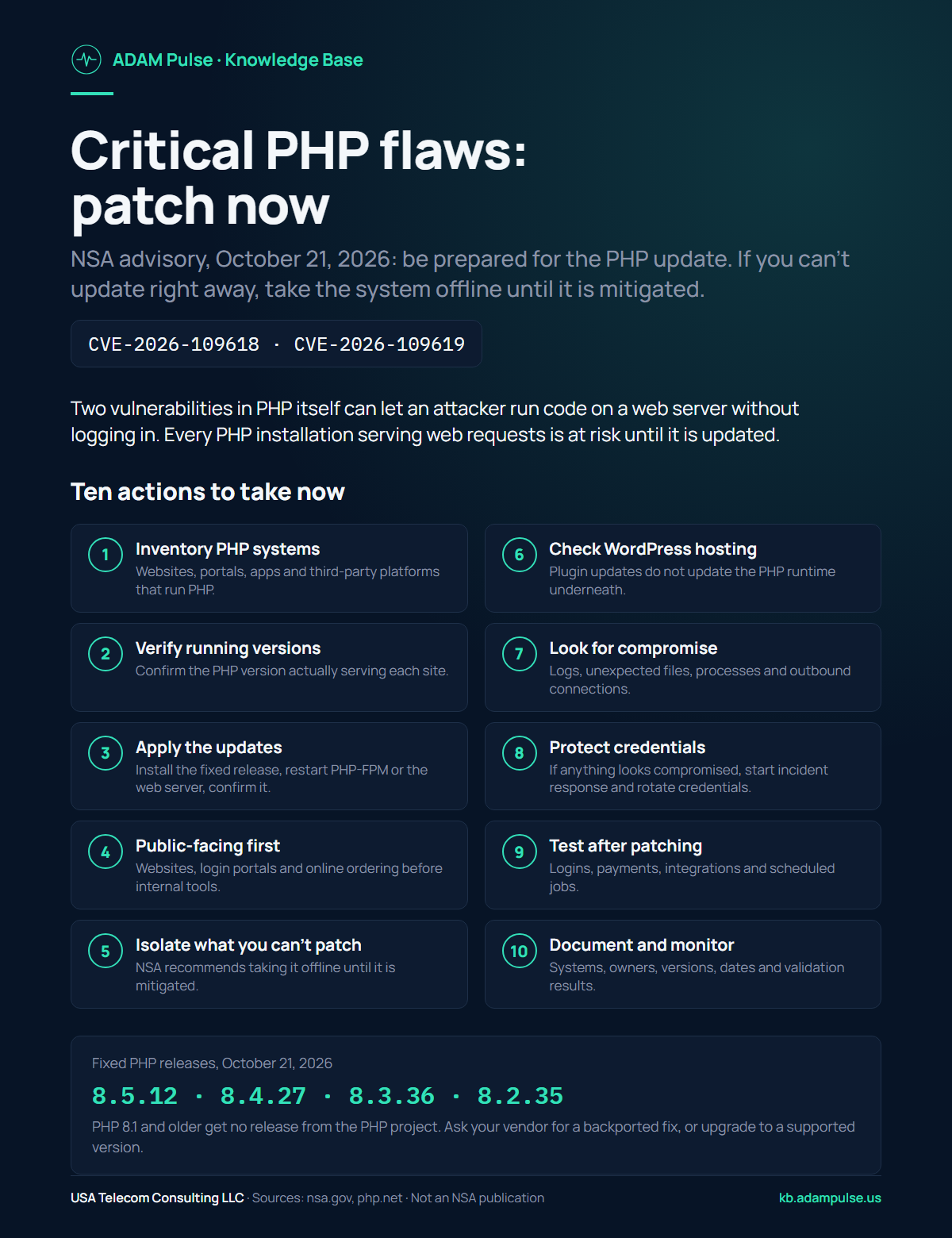
The short answer: Two critical PHP vulnerabilities, CVE-2026-109618 and CVE-2026-109619, can let an attacker run code on a web server without logging in. The PHP project released fixed versions on October 21, 2026. The NSA advised all organizations using PHP to be prepared for the update, effective immediately, and to take affected systems offline until they are fully mitigated if they cannot update right away. If your business runs a website, portal or application on PHP, confirm today that it is on a patched version.
Your website might be working perfectly. Your customers may be accessing their accounts without interruption. Your business applications may appear completely normal.
That doesn't necessarily mean they're secure.
On October 21, 2026, the National Security Agency (NSA) issued an advisory, effective immediately, telling all organizations that use PHP to be prepared for an update addressing two critical vulnerabilities. The NSA noted that flaws like these often give attackers a direct route to a server's file system or database, and said it will follow up with more specific guidance.
PHP is a widely used programming language that powers websites, customer portals, e-commerce platforms and business applications.
The PHP project tracks the two vulnerabilities as CVE-2026-109618 and CVE-2026-109619 and rates both critical. Either could allow an attacker to execute code on a vulnerable server without authentication.
Depending on the affected environment, successful exploitation could lead to unauthorized access, exposure of sensitive information, or broader system compromise.
The PHP project released security updates the same day. The NSA advises organizations that cannot update immediately to take affected systems offline until they are fully mitigated.
What Makes This Threat Particularly Concerning?
These vulnerabilities affect PHP itself, not simply a particular website plugin or application.
That distinction matters.
A business might have the latest version of WordPress, fully updated plugins, and an otherwise well-maintained website while still running an outdated PHP runtime underneath.
The PHP project says every PHP installation that serves web requests is at risk, including PHP-FPM, Apache with mod_php, php-cgi, FrankenPHP and LiteSpeed. It considers the risk highest for mod_php, where it has demonstrated an attack that runs before any application code.
This is not a reason to panic. It is a reason to act.
The ADAM Top 10 Action Checklist
1. Identify every system using PHP
Ask your IT department, web developer, or hosting provider to identify every website, application, and server running PHP.
Include customer portals, internal applications, e-commerce systems, and third-party platforms.
You cannot secure systems you don't know exist.
2. Verify the PHP version actually running
Determine the active PHP runtime version for every affected application.
The PHP project released the following security updates on October 21, 2026:
| PHP branch | Security release |
|---|---|
| PHP 8.5 | 8.5.12 |
| PHP 8.4 | 8.4.27 |
| PHP 8.3 | 8.3.36 |
| PHP 8.2 | 8.2.35 |
PHP 8.1 and older no longer receive updates from the PHP project. Some Linux distributions and long-term-support vendors provide backported fixes, and the PHP security team published minimal source patches for 7.4, 8.0 and 8.1. Ask your vendor, or upgrade to a supported version.
3. Apply the security updates immediately
Have your technical team install the appropriate security release or verified vendor-provided security package.
Do not assume that automatic updates have already addressed the problem.
Restart PHP-FPM or the web server so the patched version is the one serving requests, and request confirmation that it is.
4. Prioritize internet-facing applications
Public websites, customer login portals, online ordering systems, and externally accessible business applications deserve immediate attention.
Systems processing customer information, financial data, or other sensitive records should receive particularly careful review.
5. Isolate systems that cannot be updated
If an affected system cannot be patched immediately, evaluate whether it should be temporarily taken offline.
The NSA specifically recommends taking systems offline until they can be fully mitigated. The PHP project lists configuration changes that reduce exposure in the meantime, but it is clear that only the update is a complete fix.
A temporary interruption may be preferable to an avoidable security incident.
6. Check WordPress and other PHP-based applications
Updating WordPress, themes, and plugins is important, but it does not update the PHP runtime.
Ask your hosting provider to verify the underlying server environment.
The same principle applies to other PHP-based content management systems and custom applications.
7. Investigate signs of unauthorized activity
Review available server logs, web requests, unexpected file changes, unusual processes, and suspicious network connections.
Prioritize systems that were exposed before security updates became available.
Applying a patch closes the vulnerability, but it does not remove an attacker who may already have gained access.
8. Protect sensitive data and credentials
If an investigation identifies evidence of compromise, activate your organization's incident response procedures.
Determine which accounts, credentials, systems, and sensitive records may have been exposed.
Rotate potentially compromised credentials and evaluate applicable notification obligations.
9. Test the environment after patching
Verify that applications continue to function correctly following the update.
Test customer logins, payment workflows, integrations, scheduled jobs, and other essential services.
Most importantly, confirm that the updated PHP runtime is actually serving requests.
10. Document the work and establish ongoing monitoring
Maintain a record of affected systems, responsible personnel, patch versions, remediation dates, and validation results.
Identify anything that remains vulnerable and assign an owner and remediation deadline.
Security is not simply installing an update. It is being able to demonstrate that the exposure has been addressed.
Five Questions to Send Your IT Provider Today
If you're a business owner or executive, you don't need to become a PHP expert.
You do need clear answers.
- Do any of our websites, applications, or servers use PHP?
- Are any running versions affected by the October 21 vulnerabilities?
- Have the appropriate security updates or verified vendor fixes been installed, and the services restarted?
- Have we checked for signs of compromise?
- Can you provide written confirmation of the remediation and any remaining exposure?
If your provider cannot immediately answer these questions, ask for a documented assessment and remediation plan.
The ADAM Perspective: Visibility Is the Foundation of Security
One of the most important lessons from cybersecurity incidents is that organizations cannot protect technology they do not know they depend on.
A website, a customer portal, a third-party application, and the infrastructure supporting them may be managed by different providers.
Without clear ownership, a critical update can easily become somebody else's responsibility.
Effective cybersecurity requires visibility, accountability, and verification.
That means knowing what systems exist, who maintains them, what vulnerabilities affect them, and whether corrective actions have actually been completed.
At ADAM, we believe technology awareness should lead to practical action.
If you manage business technology, share this checklist with your IT team or service providers today.
Don't settle for an assumption that everything is protected.
Ask for verification.
Frequently asked questions
Which PHP versions fix CVE-2026-109618 and CVE-2026-109619?
PHP 8.5.12, 8.4.27, 8.3.36 and 8.2.35, released October 21, 2026. PHP 8.1 and older get no release from the PHP project; ask your vendor for a backported fix or upgrade to a supported version.
Does updating WordPress fix the PHP vulnerabilities?
No. WordPress, theme and plugin updates do not update the PHP runtime on the server. Ask your hosting provider which PHP version is actually serving your site.
What should I do if I cannot update PHP right away?
The NSA advises taking affected systems offline until they can be fully mitigated. The PHP project lists configuration changes that reduce exposure, but says only the update is a complete fix.
Sources
- NSA — NSA Advisory: PHP Updates (October 21, 2026).
- PHP Project — Security release announcement (October 21, 2026): affected configurations, fixed releases, interim mitigations and source backports.
- PHP Project — security advisories GHSA-w8hw-w9fx-j79w (CVE-2026-109618) and GHSA-6wmf-4rv5-p3rp (CVE-2026-109619).
- PHP Project — Supported Versions.
This article is educational guidance from the ADAM Pulse Knowledge Base and is not an official publication of the National Security Agency. Details were current on October 21, 2026, the day the fixes shipped; check the sources above for updates. Organizations should consult their security teams, software vendors, and hosting providers for environment-specific remediation.
USA Telecom Consulting LLC is a Service-Disabled Veteran-Owned Small Business running a 24/7 NOC. We monitor networks, circuits and firewalls for regulated and defense-supply-chain organizations.
Does a firewall stop hackers? · How do I know if someone is hacking my network?